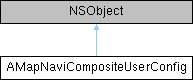
导航组件的配置类 Configuration class of the navigation component. since 5.2.0 More...
#include <AMapNaviCompositeUserConfig.h>
Instance Methods | |
| (BOOL) | - setRoutePlanPOIType:location:name:POIId: |
| 设置起点、终点、途径点(最多支持三个途径点)来调起路线规划页面,自动完成算路. 如果不设置起点,默认使用的是“我的位置”. Set the starting point, destination, and waypoints (up to three waypoints are supported) to bring up the route planning page and automatically complete the route calculation. If the starting point is not set, the default is 'My Location'. | |
| (void) | - setStartNaviDirectly: |
| 设置导航组件启动时,直接进入导航界面(跳过路径规划页面)进行算路并自动开始导航. since 5.3.0 When the navigation component is launched, directly enter the navigation interface (skip the route planning page) to calculate the route and automatically start navigation. | |
| (void) | - setThemeType: |
| 设置导航组件的主题皮肤类型. since 5.4.0 Set the theme skin type of the navigation component | |
| (void) | - setNeedCalculateRouteWhenPresent: |
| 设置导航组件启动时,是否需要进行路径规划. 此设置只有在setStartNaviDirectly为YES时,才起作用. since 5.4.0 Whether route planning is required when the navigation component is launched. This setting only takes effect when setStartNaviDirectly is YES. | |
| (void) | - setShowNextRoadInfo: |
| 设置导航界面顶部信息是否展示随后转向图标. since 6.9.0 Set whether to display the next turn icon at the top of the navigation interface | |
| (void) | - setNeedDestoryDriveManagerInstanceWhenDismiss: |
| 设置导航组件界面dismiss时,是否调用 [AMapNaviDriveManager destroyInstance] 来尝试销毁 AMapNaviDriveManager 的单例. since 5.4.0 When dismissing the navigation component interface, whether to call [AMapNaviDriveManager destroyInstance] to attempt to destroy the singleton of AMapNaviDriveManager | |
| (void) | - setNeedShowConfirmViewWhenStopGPSNavi: |
| 设置当退出实时导航时,是否弹出“确认退出导航”的AlertView. since 5.5.0 Set whether to pop up the "Confirm Exit Navigation" AlertView when exiting real-time navigation. | |
| (void) | - setVehicleInfo: |
| 设置车辆信息. since 6.0.0 Set vehicle information | |
| (void) | - addCustomViewToNaviDriveView: |
| 设置驾车导航界面自定义View,该View将显示在界面的底部区域,容器View的宽度为屏幕宽度减去133,高度为46. since 6.1.0 Set up a custom View for the driving navigation interface, which will be displayed at the bottom area of the interface. The width of the container View is the screen width minus 133, and the height is 46 | |
| (void) | - addLeftCustomViewToNaviDriveView: |
| 设置驾车导航界面左侧自定义View,该View宽度为63,高度为53,将显示在界面的左侧靠边垂直中心区域. since 6.9.0 Set a custom View on the left side of the driving navigation interface, the View has a width of 63 and a height of 53, and will be displayed in the vertically centered area on the left side of the interface | |
| (BOOL) | - addCustomBottomViewToNaviDriveView: |
| 设置驾车导航界面自定义View,该View将显示在界面的底部区域之下,容器View的宽度为屏幕宽度,高度最高为200. 注意: 设置了自定义View,导航界面将自动设置为不支持横屏 since 6.1.0 Set a custom View for the driving navigation interface. This View will be displayed below the bottom area of the interface. The container View's width is the screen width, and the maximum height is 200. Note: After setting a custom View, the navigation interface will automatically be set to not support landscape orientation. | |
| (void) | - setDriveStrategy: |
| 设置驾车路径规划策略. 注意:如设置,将清空用户之前选择的值。如不设置,则取用户之前选择的值,如用户之前无选择过,则取 AMapNaviDrivingStrategyMultipleDefault . since 6.1.0 Set the driving route planning strategy. Note: If set, it will clear the value previously selected by the user. If not set, it will take the value previously selected by the user. If the user has not selected before, it will take AMapNaviDrivingStrategyMultipleDefault. | |
| (void) | - setShowCrossImage: |
| 设置驾车导航时是否显示路口放大图. since 6.1.0 Whether to show the intersection enlargement map when setting up driving navigation | |
| (void) | - setShowDrivingStrategyPreferenceView: |
| 设置路径规划偏好策略页面是否显示. since 6.1.0 Whether to display the route planning preference strategy page | |
| (void) | - setRemovePolylineAndVectorlineWhenArrivedDestination: |
| 设置驾车导航界面到达目的地后是否移除路线和牵引线. since 5.5.0 Whether to remove the route and guideline after arriving at the destination in the driving navigation interface | |
| (void) | - setMultipleRouteNaviMode: |
| 设置多路线导航模式(实时导航中拥有若干条备选路线供用户选择,默认模式), 或单路线导航模式. 注意: 1、设置的导航模式会在下一次主动路径规划时生效. 2、多路线导航模式还需同时满足以下4个条件才能够生效:a.路径规划时 AMapNaviDrivingStrategy 需选用多路径策略; b.起终点的直线距离需<=80KM; c.不能有途径点; d.车辆不能是货车类型. since 6.3.0 Set multi-route navigation mode (providing several alternative routes for user selection during real-time navigation, default mode), or single-route navigation mode. Note: 1. The set navigation mode will take effect during the next active route planning. 2. The multi-route navigation mode also needs to meet the following 4 conditions to take effect: a. When planning the route, AMapNaviDrivingStrategy needs to adopt the multi-path strategy; b. The straight-line distance between the start and end points needs to be <=80KM;c. No waypoints allowed; d. The vehicle cannot be a truck type. | |
| (void) | - setTruckMultipleRouteNaviMode: |
| 设置货车多路线导航模式(导航中拥有若干条备选路线供用户选择),或单路线导航模式(默认模式)。注意:此方法仅限于在开始导航前调用有效,以下情况不会出现多备选路线:模拟导航、路线存在途经点、路线长度超过80KM。特别注意:当前接口为收费接口,您如果申请试用或者正式应用都请通过工单系统提交商务合作类工单进行沟通 https://lbs.amap.com/。since 9.3.5 Set the truck multi-route navigation mode (with several alternative routes for users to choose during navigation), or the single-route navigation mode (default mode). Note: This method is only valid when called before starting navigation. Multiple alternative routes will not be available in the following cases: simulated navigation, routes with waypoints, or routes exceeding 80KM in length. Special Note: The current API is a paid service. If you wish to apply for a trial or official use, please submit a business cooperation ticket through the ticket system for communication https://lbs.amap.com/ | |
| (void) | - setShowBackupRoute: |
| 设置多路线导航模式下地图是否显示备选路线. since 6.7.0 Set whether the map displays alternative routes in multi-route navigation mode | |
| (BOOL) | - setOnlineCarHailingType: |
| 设置网约车模式. since 6.4.0 Set ride-hailing mode | |
| (void) | - setMapShowTraffic: |
| 设置地图是否展示实时路况. since 6.6.0 Set whether the map displays real-time traffic | |
| (void) | - setLogoSizeScale: |
| 设置导航组件地图Logo的尺寸缩放比例. Set the size scale of the map logo in the navigation component. | |
| (void) | - setMapViewModeType: |
| 设置导航界面地图的日夜模式. since 7.1.0 Set the day and night mode of the navigation interface map | |
| (void) | - setBroadcastType: |
| 设置导航语音播报模式. since 7.1.0 Set the navigation voice broadcast mode | |
| (void) | - setTrackingMode: |
| 设置导航界面跟随模式. since 7.1.0 Set the navigation interface follow mode | |
| (void) | - setAutoZoomMapLevel: |
| 设置比例尺智能缩放. since 7.1.0 Set the scale intelligent zoom | |
| (void) | - setPresenterViewController: |
| 设置一个 ViewController,SDK内部会使用该 ViewController 来 present 导航组件. since 7.2.0 Set up a ViewController, the SDK will use this ViewController to present the navigation component | |
| (void) | - setShowRestrictareaEnable: |
| 设置导航组件规划页面是否展示限行图层 注意:当前接口为付费接口,使用当前接口需要 官网联系https://lbs.amap.com/ 商务 since 9.0.1 Set whether to display the traffic restriction layer on the navigation component planning page. Note: This is a paid API. To use this API, please contact the official website https://lbs.amap.com/ for business inquiries. | |
| (void) | - setShowEagleMap: |
| 设置导航组件导航页面驾车模式下是否显示鹰眼地图,显示鹰眼小地图的时候:光柱图和全览按钮隐藏 注意:摩托车模式下设置不生效 since 9.0.2 Set whether to display the eagle-eye map in the navigation component's navigation page in driving mode. When the eagle-eye mini-map is displayed: the light column map and the overview button are hidden. Note: The setting does not take effect in motorcycle mode. | |
| (void) | - setShowCameraDistanceEnable: |
| 设置导航组件导航页面电子眼气泡是否展示当前位置距离电子眼的距离 since 10.0.920 since 10.0.920":{"en":"Set whether the electronic eye bubble on the navigation page of the navigation component displays the distance from the current location to the electronic eye since 10.0.920 | |
| (void) | - setScaleFactor: |
| 支持自定义屏幕scale sicne 10.5.2.03 Support custom screen scale since 10.5.2.03 | |
Detailed Description
导航组件的配置类 Configuration class of the navigation component. since 5.2.0
导航组件的配置类 since 5.2.0 Configuration class of navigation component since 5.2.0 导航组件 有缓存 功能,在导航组件退出时,或切后台。会缓存到本地。 如果不设置使用的是上一次的缓存。如果没有缓存使用的默认值。 The navigation component has a caching function, which will cache data locally when the navigation component exits or switches to the background. If not set, the last cached value is used. If there is no cache, the default value is used. 目前缓存的属性有:mapModeType,broadcastType,trackingMode,autoZoomMapLevel,showEagleMap Currently cached attributes include:mapModeType,broadcastType,trackingMode,autoZoomMapLevel,showEagleMap
Method Documentation
◆ addCustomBottomViewToNaviDriveView:
| - (BOOL) addCustomBottomViewToNaviDriveView: | (UIView *_Nonnull) | customBottomView |
设置驾车导航界面自定义View,该View将显示在界面的底部区域之下,容器View的宽度为屏幕宽度,高度最高为200. 注意: 设置了自定义View,导航界面将自动设置为不支持横屏 since 6.1.0 Set a custom View for the driving navigation interface. This View will be displayed below the bottom area of the interface. The container View's width is the screen width, and the maximum height is 200. Note: After setting a custom View, the navigation interface will automatically be set to not support landscape orientation.
- Parameters
-
customBottomView 将被显示在底部区域之下的自定义view A custom view that will be displayed below the bottom area
- Returns
- 是否设置成功(高度超过200将会返回NO) Whether the setting is successful (it will return NO if the height exceeds 200)
◆ addCustomViewToNaviDriveView:
| - (void) addCustomViewToNaviDriveView: | (UIView *_Nonnull) | customView |
设置驾车导航界面自定义View,该View将显示在界面的底部区域,容器View的宽度为屏幕宽度减去133,高度为46. since 6.1.0 Set up a custom View for the driving navigation interface, which will be displayed at the bottom area of the interface. The width of the container View is the screen width minus 133, and the height is 46
- Parameters
-
customView 将被显示在底部区域的自定义view The custom View to be displayed in the bottom area
◆ addLeftCustomViewToNaviDriveView:
| - (void) addLeftCustomViewToNaviDriveView: | (UIView *_Nonnull) | customView |
设置驾车导航界面左侧自定义View,该View宽度为63,高度为53,将显示在界面的左侧靠边垂直中心区域. since 6.9.0 Set a custom View on the left side of the driving navigation interface, the View has a width of 63 and a height of 53, and will be displayed in the vertically centered area on the left side of the interface
- Parameters
-
customView 将被显示的自定义view The custom View to be displayed 当设置RTL模式时,左侧自定义View显示在右侧 When the RTL mode is set, the left custom view is displayed on the right
◆ setAutoZoomMapLevel:
| - (void) setAutoZoomMapLevel: | (BOOL) | autoZoomMapLevel |
设置比例尺智能缩放. since 7.1.0 Set the scale intelligent zoom
- Parameters
-
autoZoomMapLevel 锁车模式下是否为了预见下一导航动作自动缩放地图. 默认为YES Whether to automatically zoom the map to anticipate the next navigation action in lock car mode. Default is YES. 车道级导航锁车时,比例尺由车道视角控制,不应用关闭智能缩放后的固定比例尺;退出车道级后恢复本设置。 During lane-level navigation in locked mode, zoom follows the lane camera instead of the fixed zoom used when intelligent zoom is disabled. This setting resumes after exiting lane-level navigation.
◆ setBroadcastType:
| - (void) setBroadcastType: | (AMapNaviCompositeBroadcastType) | type |
设置导航语音播报模式. since 7.1.0 Set the navigation voice broadcast mode
- Parameters
-
type 参考 AMapNaviCompositeBroadcastType . 默认为 AMapNaviCompositeBroadcastDetailed(详细播报模式) Refer to AMapNaviCompositeBroadcastType. Default is AMapNaviCompositeBroadcastDetailed (detailed broadcast mode)
◆ setDriveStrategy:
| - (void) setDriveStrategy: | (AMapNaviDrivingStrategy) | driveStrategy |
设置驾车路径规划策略. 注意:如设置,将清空用户之前选择的值。如不设置,则取用户之前选择的值,如用户之前无选择过,则取 AMapNaviDrivingStrategyMultipleDefault . since 6.1.0 Set the driving route planning strategy. Note: If set, it will clear the value previously selected by the user. If not set, it will take the value previously selected by the user. If the user has not selected before, it will take AMapNaviDrivingStrategyMultipleDefault.
- Parameters
-
driveStrategy 参考 AMapNaviDrivingStrategy . Refer to AMapNaviDrivingStrategy.
◆ setLogoSizeScale:
| - (void) setLogoSizeScale: | (CGFloat) | logoSizeScale |
设置导航组件地图Logo的尺寸缩放比例. Set the size scale of the map logo in the navigation component.
- Parameters
-
logoSizeScale 地图Logo的尺寸缩放比例. The size scale of the map logo.
◆ setMapShowTraffic:
| - (void) setMapShowTraffic: | (BOOL) | need |
设置地图是否展示实时路况. since 6.6.0 Set whether the map displays real-time traffic
- Parameters
-
need 是否显示,默认为YES. Whether to display, default is YES.
◆ setMapViewModeType:
| - (void) setMapViewModeType: | (AMapNaviViewMapModeType) | type |
设置导航界面地图的日夜模式. since 7.1.0 Set the day and night mode of the navigation interface map
- Parameters
-
type 参考 AMapNaviViewMapModeType . 默认为 AMapNaviViewMapModeTypeDayNightAuto(自动切换模式) Refer to AMapNaviViewMapModeType. Default is AMapNaviViewMapModeTypeDayNightAuto (automatic switching mode)
◆ setMultipleRouteNaviMode:
| - (void) setMultipleRouteNaviMode: | (BOOL) | multipleRouteNaviMode |
设置多路线导航模式(实时导航中拥有若干条备选路线供用户选择,默认模式), 或单路线导航模式. 注意: 1、设置的导航模式会在下一次主动路径规划时生效. 2、多路线导航模式还需同时满足以下4个条件才能够生效:a.路径规划时 AMapNaviDrivingStrategy 需选用多路径策略; b.起终点的直线距离需<=80KM; c.不能有途径点; d.车辆不能是货车类型. since 6.3.0 Set multi-route navigation mode (providing several alternative routes for user selection during real-time navigation, default mode), or single-route navigation mode. Note: 1. The set navigation mode will take effect during the next active route planning. 2. The multi-route navigation mode also needs to meet the following 4 conditions to take effect: a. When planning the route, AMapNaviDrivingStrategy needs to adopt the multi-path strategy; b. The straight-line distance between the start and end points needs to be <=80KM;c. No waypoints allowed; d. The vehicle cannot be a truck type.
- Parameters
-
multipleRouteNaviMode YES:多路线导航模式, NO:单路线导航模式. 默认为YES. Multiple route navigation mode, NO: Single route navigation mode. Default is YES.
◆ setNeedCalculateRouteWhenPresent:
| - (void) setNeedCalculateRouteWhenPresent: | (BOOL) | need |
设置导航组件启动时,是否需要进行路径规划. 此设置只有在setStartNaviDirectly为YES时,才起作用. since 5.4.0 Whether route planning is required when the navigation component is launched. This setting only takes effect when setStartNaviDirectly is YES.
- Parameters
-
need 是否需要进行路径规划,默认为YES. 如果为NO,导航组件启动时将不再进行算路,直接使用 AMapNaviDriveManager 单例已经规划好的路径进行导航 Whether route planning is required, default is YES. If it is NO, the navigation component will not perform route calculation when starting, and will directly use the pre-planned route from the AMapNaviDriveManager singleton for navigation.
◆ setNeedDestoryDriveManagerInstanceWhenDismiss:
| - (void) setNeedDestoryDriveManagerInstanceWhenDismiss: | (BOOL) | need |
设置导航组件界面dismiss时,是否调用 [AMapNaviDriveManager destroyInstance] 来尝试销毁 AMapNaviDriveManager 的单例. since 5.4.0 When dismissing the navigation component interface, whether to call [AMapNaviDriveManager destroyInstance] to attempt to destroy the singleton of AMapNaviDriveManager
- Parameters
-
need 是否尝试销毁 AMapNaviDriveManager 的单例,默认为YES. Whether to attempt to destroy the singleton of AMapNaviDriveManager, default is YES.
◆ setNeedShowConfirmViewWhenStopGPSNavi:
| - (void) setNeedShowConfirmViewWhenStopGPSNavi: | (BOOL) | need |
设置当退出实时导航时,是否弹出“确认退出导航”的AlertView. since 5.5.0 Set whether to pop up the "Confirm Exit Navigation" AlertView when exiting real-time navigation.
- Parameters
-
need 是否弹出“确认退出导航”的AlertView,默认为YES. Whether to pop up the "Confirm Exit Navigation" AlertView, default is YES.
◆ setOnlineCarHailingType:
| - (BOOL) setOnlineCarHailingType: | (AMapNaviOnlineCarHailingType) | type |
设置网约车模式. since 6.4.0 Set ride-hailing mode
- Parameters
-
type 参考 AMapNaviOnlineCarHailingType. 默认为 AMapNaviOnlineCarHailingTypeNone (非网约车模式, 即正常模式) Refer to AMapNaviOnlineCarHailingType. Default is AMapNaviOnlineCarHailingTypeNone (Non-ride-hailing mode, i.e., normal mode)
- Returns
- 是否设置成功 Whether the setting is successful
◆ setPresenterViewController:
| - (void) setPresenterViewController: | (UIViewController *_Nonnull) | presenterViewController |
设置一个 ViewController,SDK内部会使用该 ViewController 来 present 导航组件. since 7.2.0 Set up a ViewController, the SDK will use this ViewController to present the navigation component
- Parameters
-
presenterViewController SDK会使用该对象来 present 导航组件 The SDK will use this object to present the navigation component
◆ setRemovePolylineAndVectorlineWhenArrivedDestination:
| - (void) setRemovePolylineAndVectorlineWhenArrivedDestination: | (BOOL) | need |
设置驾车导航界面到达目的地后是否移除路线和牵引线. since 5.5.0 Whether to remove the route and guideline after arriving at the destination in the driving navigation interface
- Parameters
-
need 是否移除,默认为NO. Remove or not, default is NO
◆ setRoutePlanPOIType:location:name:POIId:
| - (BOOL) setRoutePlanPOIType: | (AMapNaviRoutePlanPOIType) | type | |
| location: | (AMapNaviPoint *_Nonnull) | locationPoint | |
| name: | (NSString *_Nullable) | name | |
| POIId: | (NSString *_Nullable) | mid | |
设置起点、终点、途径点(最多支持三个途径点)来调起路线规划页面,自动完成算路. 如果不设置起点,默认使用的是“我的位置”. Set the starting point, destination, and waypoints (up to three waypoints are supported) to bring up the route planning page and automatically complete the route calculation. If the starting point is not set, the default is 'My Location'.
- Parameters
-
type POI点的起终点类型,参考 AMapNaviRoutePlanPOIType . Type of POI as start/end point, refer to AMapNaviRoutePlanPOIType locationPoint POI点的经纬度坐标,必填. SDK会使用该坐标点进行路径规划,参考 AMapNaviPoint . POI's latitude and longitude coordinates, required. The SDK will use this coordinate for route planning, refer to AMapNaviPoint name POI点的名字,选填. SDK会将该名字显示在搜索栏内. 如果不传将使用默认值,如“终点”、“途径点1”. POI's name, optional. The SDK will display this name in the search bar. If not provided, default values like 'Destination' or 'Waypoint 1' will be used. mid POI点的高德唯一标识ID,选填. 如果传入,SDK将会优先使用此ID对应的POI点的经纬度坐标、名字等信息进行算路和展示. The unique Gaode ID of the POI point, optional. If provided, the SDK will prioritize using the latitude and longitude coordinates, name, and other information of the POI point corresponding to this ID for route calculation and display.
- Returns
- 是否设置成功 Whether the setting is successful
◆ setScaleFactor:
| - (void) setScaleFactor: | (CGFloat) | scaleFactor |
支持自定义屏幕scale sicne 10.5.2.03 Support custom screen scale since 10.5.2.03
- Parameters
-
scaleFactor,默认是0.0[sdk自动适配],支持范围(0.0-3.0) Default is 0.0 [SDK auto-adapts], supported range (0.0-3.0)
◆ setShowBackupRoute:
| - (void) setShowBackupRoute: | (BOOL) | need |
设置多路线导航模式下地图是否显示备选路线. since 6.7.0 Set whether the map displays alternative routes in multi-route navigation mode
- Parameters
-
need 是否显示,默认为YES. Whether to display, default is YES.
◆ setShowCameraDistanceEnable:
| - (void) setShowCameraDistanceEnable: | (BOOL) | showCameraDistanceEnable |
设置导航组件导航页面电子眼气泡是否展示当前位置距离电子眼的距离 since 10.0.920 since 10.0.920":{"en":"Set whether the electronic eye bubble on the navigation page of the navigation component displays the distance from the current location to the electronic eye since 10.0.920
- Parameters
-
showCameraDistanceEnable 是否展示当前位置距离电子眼的距离 ,默认为NO. Whether to display the distance from the current location to the electronic eye, default is NO.
◆ setShowCrossImage:
| - (void) setShowCrossImage: | (BOOL) | need |
设置驾车导航时是否显示路口放大图. since 6.1.0 Whether to show the intersection enlargement map when setting up driving navigation
- Parameters
-
need 是否显示路口放大图,默认为YES. Whether to show the intersection enlargement map, default is YES.
◆ setShowDrivingStrategyPreferenceView:
| - (void) setShowDrivingStrategyPreferenceView: | (BOOL) | need |
设置路径规划偏好策略页面是否显示. since 6.1.0 Whether to display the route planning preference strategy page
- Parameters
-
need 是否显示,默认为YES. Display or not, default is YES
◆ setShowEagleMap:
| - (void) setShowEagleMap: | (BOOL) | showEagleMap |
设置导航组件导航页面驾车模式下是否显示鹰眼地图,显示鹰眼小地图的时候:光柱图和全览按钮隐藏 注意:摩托车模式下设置不生效 since 9.0.2 Set whether to display the eagle-eye map in the navigation component's navigation page in driving mode. When the eagle-eye mini-map is displayed: the light column map and the overview button are hidden. Note: The setting does not take effect in motorcycle mode.
- Parameters
-
showEagleMap 组件是否显示鹰眼地图,默认为NO. Whether the component displays the bird's-eye view map, default is NO.
◆ setShowNextRoadInfo:
| - (void) setShowNextRoadInfo: | (BOOL) | showNextRoadInfo |
设置导航界面顶部信息是否展示随后转向图标. since 6.9.0 Set whether to display the next turn icon at the top of the navigation interface
- Parameters
-
showNextRoadInfo 是否展示随后转向图标,默认为NO,不展示. Whether to display the next turn icon, default is NO, not displayed
◆ setShowRestrictareaEnable:
| - (void) setShowRestrictareaEnable: | (BOOL) | showRestrictareaEnable |
设置导航组件规划页面是否展示限行图层 注意:当前接口为付费接口,使用当前接口需要 官网联系https://lbs.amap.com/ 商务 since 9.0.1 Set whether to display the traffic restriction layer on the navigation component planning page. Note: This is a paid API. To use this API, please contact the official website https://lbs.amap.com/ for business inquiries.
- Parameters
-
showRestrictareaEnable 组件是否显示限行图层,默认为NO. Whether the component displays the traffic restriction layer, default is NO.
◆ setStartNaviDirectly:
| - (void) setStartNaviDirectly: | (BOOL) | directly |
设置导航组件启动时,直接进入导航界面(跳过路径规划页面)进行算路并自动开始导航. since 5.3.0 When the navigation component is launched, directly enter the navigation interface (skip the route planning page) to calculate the route and automatically start navigation.
- Parameters
-
directly 是否直接进入导航界面, 默认值为NO. Whether to directly enter the navigation interface, the default value is NO. 注意:如果为YES,为了保证算路成功,还需设置有效的终点,否则会报错 Note: If it is YES, in order to ensure the success of route calculation, you also need to set a valid destination, otherwise it will report an error
◆ setThemeType:
| - (void) setThemeType: | (AMapNaviCompositeThemeType) | themeType |
设置导航组件的主题皮肤类型. since 5.4.0 Set the theme skin type of the navigation component
- Parameters
-
themeType 主题皮肤类型,默认为 AMapNaviCompositeThemeTypeDefault(蓝色),参考 AMapNaviCompositeThemeType . Theme skin type, default is AMapNaviCompositeThemeTypeDefault (Blue), refer to AMapNaviCompositeThemeType.
◆ setTrackingMode:
| - (void) setTrackingMode: | (AMapNaviViewTrackingMode) | mode |
设置导航界面跟随模式. since 7.1.0 Set the navigation interface follow mode
- Parameters
-
mode 参考 AMapNaviViewTrackingMode . 默认为 AMapNaviViewTrackingModeCarNorth(车头朝上) Refer to AMapNaviViewTrackingMode. Default is AMapNaviViewTrackingModeCarNorth (heading up)
◆ setTruckMultipleRouteNaviMode:
| - (void) setTruckMultipleRouteNaviMode: | (BOOL) | multipleRouteNaviMode |
设置货车多路线导航模式(导航中拥有若干条备选路线供用户选择),或单路线导航模式(默认模式)。注意:此方法仅限于在开始导航前调用有效,以下情况不会出现多备选路线:模拟导航、路线存在途经点、路线长度超过80KM。特别注意:当前接口为收费接口,您如果申请试用或者正式应用都请通过工单系统提交商务合作类工单进行沟通 https://lbs.amap.com/。since 9.3.5 Set the truck multi-route navigation mode (with several alternative routes for users to choose during navigation), or the single-route navigation mode (default mode). Note: This method is only valid when called before starting navigation. Multiple alternative routes will not be available in the following cases: simulated navigation, routes with waypoints, or routes exceeding 80KM in length. Special Note: The current API is a paid service. If you wish to apply for a trial or official use, please submit a business cooperation ticket through the ticket system for communication https://lbs.amap.com/
- Parameters
-
multipleRouteNaviMode YES:多路线导航模式, NO:单路线导航模式. 默认为NO. YES: Multi-route navigation mode, NO: Single-route navigation mode. Default is NO.
◆ setVehicleInfo:
| - (void) setVehicleInfo: | (nonnull AMapNaviVehicleInfo *) | vehicleInfo |
设置车辆信息. since 6.0.0 Set vehicle information
- Parameters
-
vehicleInfo 车辆信息,参考 AMapNaviVehicleInfo. Vehicle information, refer to AMapNaviVehicleInfo.
The documentation for this class was generated from the following file: