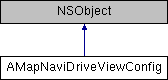
#include <AMapNaviDriveViewConfig.h>
|
| AMapNaviDriveViewState | state |
| |
| BOOL | showSettingView |
| | 行中设置 当点击设置按钮时是否显示默认的设置面板。 Inline Settings: Whether to display the default settings panel when the settings button is clicked. 默认值:NO. Default Value: NO.
|
| |
| BOOL | showNaviPopTips |
| | 导航过程中是否显示底部的tips, 包括:路线切换,禁限行提示等,默认值:true, 显示 Whether to display the bottom tips during navigation, including: route switching, traffic restriction prompts, etc. Default value: true, display
|
| |
| BOOL | showDrivingStrategyPreferenceView |
| | 设置路径规划偏好策略页面是否显示. 默认为YES. Set whether the path planning preference strategy page is displayed. Default: YES.
|
| |
| BOOL | showRestrictareaEnable |
| | 行前: 设置行前规划页面是否展示限行图层 注意:当前接口为付费接口,使用当前接口需要 官网联系https://lbs.amap.com/ 商务 Pre-Trip: Set whether the restricted driving layer is shown on the pre-trip planning page. Note: This API is a paid service. Contact the official website (https://lbs.amap.com/) for business inquiries. showRestrictareaEnable 组件是否显示限行图层,默认为NO. Whether the component displays the traffic restriction layer, default is NO.
|
| |
| AMapNaviDrivingStrategy | drivingStrategy |
| | 设置驾车路径规划策略. 默认值 AMapNaviDrivingStrategyMultipleDefault . 如果要设置摩托车等非驾车策略,需要在使用AmapNaviDriveView前,设置车辆信息:请参考AMapNaviDriveManager setVehicleInfo 参考 AMapNaviDrivingStrategy . Set the driving route planning strategy. Default value: AMapNaviDrivingStrategyMultipleDefault. If using non-driving strategies (e.g., motorcycle), set the vehicle information before initializing AmapNaviDriveView. Refer to AMapNaviDriveManager's setVehicleInfo method for details.
|
| |
| AMapNaviRouteAnnoState | showRouteAnnotation |
| |
| BOOL | showNextRoadInfo |
| | 设置导航界面顶部信息是否展示随后转向图标. since 10.0.920 Set whether to display the next turn icon at the top of the navigation interface. since 10.0.920
|
| |
| CGFloat | scaleFactor |
| | 支持自定义屏幕scale sicne 10.5.2.03 Support custom screen scale since 10.5.2.03
|
| |
◆ drivingStrategy
设置驾车路径规划策略. 默认值 AMapNaviDrivingStrategyMultipleDefault . 如果要设置摩托车等非驾车策略,需要在使用AmapNaviDriveView前,设置车辆信息:请参考AMapNaviDriveManager setVehicleInfo 参考 AMapNaviDrivingStrategy . Set the driving route planning strategy. Default value: AMapNaviDrivingStrategyMultipleDefault. If using non-driving strategies (e.g., motorcycle), set the vehicle information before initializing AmapNaviDriveView. Refer to AMapNaviDriveManager's setVehicleInfo method for details.
◆ scaleFactor
支持自定义屏幕scale sicne 10.5.2.03 Support custom screen scale since 10.5.2.03
- Parameters
-
| scaleFactor,默认是0.0[sdk自动适配],支持范围(0.0-3.0) | Default is 0.0 [SDK auto-adapts], supported range (0.0-3.0) |
◆ showDrivingStrategyPreferenceView
| - (BOOL) showDrivingStrategyPreferenceView |
|
readwritenonatomicassign |
设置路径规划偏好策略页面是否显示. 默认为YES. Set whether the path planning preference strategy page is displayed. Default: YES.
◆ showNaviPopTips
导航过程中是否显示底部的tips, 包括:路线切换,禁限行提示等,默认值:true, 显示 Whether to display the bottom tips during navigation, including: route switching, traffic restriction prompts, etc. Default value: true, display
◆ showNextRoadInfo
| - (BOOL) showNextRoadInfo |
|
readwritenonatomicassign |
设置导航界面顶部信息是否展示随后转向图标. since 10.0.920 Set whether to display the next turn icon at the top of the navigation interface. since 10.0.920
- Parameters
-
| showNextRoadInfo | 是否展示随后转向图标,默认为NO,不展示. Whether to display the subsequent turn icon, default is NO, not displayed. |
◆ showRestrictareaEnable
| - (BOOL) showRestrictareaEnable |
|
readwritenonatomicassign |
行前: 设置行前规划页面是否展示限行图层 注意:当前接口为付费接口,使用当前接口需要 官网联系https://lbs.amap.com/ 商务 Pre-Trip: Set whether the restricted driving layer is shown on the pre-trip planning page. Note: This API is a paid service. Contact the official website (https://lbs.amap.com/) for business inquiries. showRestrictareaEnable 组件是否显示限行图层,默认为NO. Whether the component displays the traffic restriction layer, default is NO.
◆ showRouteAnnotation
| - (AMapNaviRouteAnnoState) showRouteAnnotation |
|
readwritenonatomicassign |
是否显示起终途点\步行轮渡扎点\禁行限行图标\封路图标等, 默认为全显示. Whether to display start/end points, pedestrian/ferry stop points, prohibited driving restriction icons, closed road icons, etc. Defaults to all displayed.
◆ showSettingView
行中设置 当点击设置按钮时是否显示默认的设置面板。 Inline Settings: Whether to display the default settings panel when the settings button is clicked. 默认值:NO. Default Value: NO.
◆ state
默认为行中 AMapNaviDriveViewStateNaving, 行前只支持竖屏,需要用户在controller中适配 横竖屏 Default is in-route AMapNaviDriveViewStateNaving, pre-route only supports portrait mode, users need to adapt landscape\/portrait in the controller
The documentation for this class was generated from the following file: